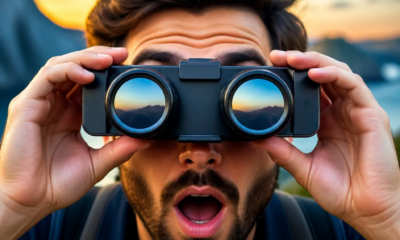
Turn your Cell Phone into Binocular
Announcements
Turning your phone into a binocular is simpler than you might think.With the right apps and some practical techniques, you can zoom in on distant images and explore details that your eyes do not naturally reach.
Announcements
Your smartphone technology offers incredible features that few users know or fully explore.You can use the camera, specialized apps, and even inexpensive accessories to turn your device into a functional optical instrument, ideal for outdoor observations, travel, sporting events, and more.
How Digital Zoom Works on Your Smartphone
Your phone has a camera capable of zooming images through digital zoom, which you can directly control through the native interface. Unlike optical zoom, which uses physical lenses to approximate objects, digital zoom interpolates pixels and increases the size of the image on the screen, offering an enlarged view of the distant object. This process works well in environments with good lighting, although the quality decreases in dark places.
Most modern smartphones allow you to zoom in from 2x to 10x just by tapping and swiping on the screen. You can also use the volume key to adjust the magnification more precisely, avoiding accidental movements that blur the image. Keeping the phone stable during observation is key to getting a clear view, so consider supporting the device against something firm or using a portable stand.
Specialized Applications for Image Amplification
There are apps developed specifically to turn your phone into binoculars, offering advanced features that go beyond the standard camera zoom. These third-party apps include contrast filters, brightness adjustments, and recording tools that make it easy to capture distant details with superior quality.
The Binocular Zoom app, for example, offers adjustable magnification and night vision mode that significantly improves viewing in low-light environments. It works as a digital magnifier with intuitive interface, allowing you to save photos and videos of the observations made. Another highlight is the Telescope app, which combines simulated optical zoom with basic astronomy features, ideal if you want to observe the night sky or moon details.
Advanced Techniques to Optimize Observation
To get professional results when using your mobile phone as binoculars, you must master some strategies that many users completely ignore. The first technique is to optimize camera settings: increase contrast, reduce automatic brightness and disable flash, as artificial light interferes with the observation of distant objects.You should also adjust ISO sensitivity manually, if the application allows, to capture more detail without creating too much digital noise.
Image stabilization is another crucial strategy that you should not neglect. Hold your phone with both hands, support your elbows on the body or a surface to reduce tremors, and use burst mode (continuous) to take multiple photos in sequence. This way, you will have several options and you will be able to choose the sharpest image afterwards.Be sure to regularly clean the camera lens, as dust and fingerprints dramatically reduce the quality of magnification.
Accessories that Boost the Performance of your Cell Phone
You can use cheap and affordable accessories to turn your smartphone into an even more efficient binocular. Third-party external lenses, such as telephoto or magnifying lenses, attach to your phone’s camera and amplify the image before it reaches the sensor. These portable lenses cost between R$ 50 and R$ 300, depending on the quality and brand, and are easily transportable in a backpack or bag.
Brackets and tripods are also valuable investments that you should consider when using the mobile phone as binoculars regularly. An adjustable bracket allows you to keep the phone still while watching, eliminating tremors caused by tired hand.You can find compact tripods made specifically for smartphones in online stores, with affordable prices and reduced weight, perfect for travel and outdoor expeditions.
Advanced Image Processing Strategies
Post-capture editing is an advanced strategy that many users underestimate when using their mobile phone as binoculars. After shooting the distant object, you can use third-party applications like Snapseed, Adobe Lightroom Mobile or similar photoeditors to increase sharpness, contrast and saturation. These adjustments reveal details that would go unnoticed in the original image, functioning as an additional optical processing that significantly improves the results.
You can also explore the artificial intelligence mode present in newer smartphones, which uses algorithms to magnify images while maintaining quality. Super Resolution or Super Zoom mode (names vary by manufacturer) apply machine learning techniques to reconstruct missing pixels during magnification, producing sharper and more detailed images than conventional digital zoom. Enabling these features before capturing the image makes all the difference in the final result.
Practical Use Cases and Ideal Situations
Turning your cell phone into binoculars becomes particularly useful in wildlife observations, as you can photograph distant animals without scaring them as you approach.You can capture natural behaviors of birds, insects and small mammals safely while maintaining appropriate distance. This approach is essential for birdwatchers and nature enthusiasts who want to document observations without harming animals.
In sporting events, concerts and performances, using the mobile phone as binoculars allows you to see details of the stage or the field without investing in expensive and bulky equipment. You better watch crucial plays in football, pitches in basketball or musical performances, all captured directly on your smartphone. Exploration trips also gain quality when you can observe distant panoramas, architecture of old buildings and geographical details with proper magnification, enriching your experience and photographic record.