Automate all the Electronics in your House with Alexa!
Announcements
Home automation has transformed the way people interact with their electronics, and Alexa is one of the most affordable tools to make this a reality. With this virtual assistant technology, you can control lights, sockets, climate control devices and more just by using voice commands.
Announcements
In this practical guide, we will explore step by step how to automate all the electronics in your home with Alexa, from the initial setup to advanced scenarios that will turn your home into a smart, functional environment.You will learn which devices are compatible, how to connect them, create custom routines and solve the most common problems that arise during the process.
What you need to automate your home with Alexa
To start home automation with Alexa, you need some essential components.The first is a device with integrated Alexa, such as an Echo Dot, Echo Show or any other model available in the market. These devices work as the “brain” of your smart home, receiving your commands and transmitting them to other devices. You can choose the model that best suits your budget and needs, since even the simplest perform the basic functions efficiently.
In addition to the Alexa device, you will need compatible electronics or smart adapters that make your current equipment voice-controllable. Smart lamps, connected outlets, thermostats, security cameras and home appliances can be integrated into the Alexa ecosystem. Most of these products connect via Wi-Fi or Bluetooth, so a stable internet network in your home is critical for everything to work without interruptions.
You should also create an account on Amazon, if you do not already have one, as it will be the control center of your entire experience with Alexa. Through this account, you will configure your smart home network, add devices, create routines and manage voice preferences. A broadband internet connection with proper speed ensures that your commands run quickly and without delays.
Download app Platform: Android ▶Download on Google PlaySetting up your first Alexa device step by step
The first step is to unpack your Alexa device and position it in a central location of your home, preferably in a room where you stay longer. The ideal place is an open space, away from walls and obstacles, as this improves voice recognition. Connect the device to the electricity and wait a few seconds until the indicator light comes on, signaling that it is ready to be configured.
Open the Alexa app on your smartphone or tablet and log in with your Amazon account.The app will guide you through an intuitive setup wizard where you will select your home Wi-Fi network and enter the password. During this process, your Alexa device will connect to the internet and download the necessary software updates. Wait for the installation to complete, which usually takes a few minutes, and your device will be ready to receive your first commands.
After the basic setup, you can customize your device name, adjust privacy settings, and enable features like individual and multi-user voice recognition.This allows different family members to use Alexa with separate purchase history and personal preferences. Perform simple tests like asking for the time, weather, or a song to ensure everything is working properly.
Connecting your electronics and smart devices
Before adding any smart device, make sure it is Alexa-compatible by consulting the manufacturer’s documentation or the official Amazon website.Most products from well-known brands have native integration, while others may require the use of special hubs or intermediate applications.Start with a simple device, such as a smart light bulb or a connected outlet, to familiarize yourself with the process before expanding your installation.
In the Alexa app, go to the devices section and select the option to add a new device. The app will start a search for the devices available on your Wi-Fi network and display a list of the options found. Select the device you want to add, enter any necessary credentials and assign a descriptive and easy-to-remember name. Names like “Light of the Room” or “Kitchen Outlet” make it easy to communicate with Alexa through clear and direct voice commands.
After successful connection, test the device by asking Alexa to control the device. For example, say “Alexa, turn on the room light” or “Alexa, turn off the kitchen socket”. If the device responds properly, it is correctly integrated into your system. Repeat this process for each electronics you want to automate, creating an organized inventory of all the appliances connected in the application.
Creating custom routines for your daily routine
Routines are sequences of actions that Alexa automatically performs when you activate a specific routine or at a predetermined time. This functionality is extremely powerful, allowing you to set up smart scenarios that significantly simplify your everyday life. For example, you can create a morning routine that turns on the lights, adjusts the thermostat, plays your breakfast playlist and reads the news of the day.
To create a routine, open the Alexa application, go to the “Routines” section and click create a new one. Set a trigger, which can be a custom voice command, a specific time, an alarm or a condition based on smart sensors. For example, a routine called “Good night” could be activated when you say “Alexa, good night”, turning off all the lights, closing smart curtains and locking the doors. The possibilities are practically unlimited and depend only on the devices you have connected.
A well-planned nighttime routine can significantly improve the safety and comfort of your home. Set up a routine that triggers emergency lighting if any motion sensors detect motion at night, keeps doors locked, and activates the security system.You can also create routines based on weather conditions, such as automatically closing blinds when the sensor detects rain or increasing the temperature of the air conditioner on very hot days.
Optimizing light control and intelligent lighting
Smart bulbs are often the first device people add to their Alexa ecosystem, and rightly so, as they offer an immediate return in convenience and energy savings.You can control the brightness, color temperature, and even color of RGB bulbs with voice commands only.This means you can ask Alexa to increase brightness when you are working, reduce when you want to create a relaxing atmosphere, and adjust the color temperature throughout the day to improve your circadian rhythm.
Organize your lamps in groups according to the rooms for easy mass control. When creating groups in the Alexa application, you can control all the lights in the living room, for example, with a single command: “Alexa, turn off all the lights in the living room”. This organization also facilitates the creation of more sophisticated routines and allows you to establish lighting scenarios for different activities. One scene for watching television, another for work meetings and another for dining make your home more adaptable to your needs.
Smart lamps with presence sensor can be set to automatically light up when you enter a room and turn off after a period of no movement. This combination of automation and energy saving reduces waste and your electricity bill.Some models also allow you to set automatic schedules, causing the lights to gradually turn off in the late afternoon to simulate the sunset, helping to regulate your sleep hormones.
Managing temperature and climate intelligently
Alexa-compatible smart thermostats revolutionize the way you control your home’s air conditioning and heating. You can adjust the temperature from anywhere using just your voice, saving energy by programming heating or cooling only when needed.Many smart thermostats learn their habits over time and make automatic adjustments to maintain comfort while optimizing energy consumption.
Set up different temperature zones for different rooms if your system allows it, ensuring you and your family always enjoy maximum comfort. For example, you can keep the living room cooler during the day and heat it only at night when it is in use. Integrate your smart thermostat with door and window opening sensors so that the system automatically lowers the temperature when it detects that you have opened a door, avoiding wasted air conditioning.
Create schedule-based routines that raise the temperature before you wake up, allowing the house to reach the ideal temperature when you get up. Likewise, automatically reduce the temperature when you detect that you have left home using your smartphone as a location sensor. This approach ensures comfort when you need it and saves energy when you are away, creating a perfect balance between convenience and environmental responsibility.
Integrated home security with Alexa
Home automation goes beyond comfort, also encompassing the security of your home comprehensively.Smart cameras, electronic locks and motion sensors can be integrated into Alexa to create a complete and easy-to-control security system.You can view camera feeds in the Alexa app, receive notifications of suspicious movement and lock or unlock doors remotely just by asking Alexa to do so.
Set up specific security campaigns for when you are away from home, such as turning on some lights in random pattern to simulate presence, activating continuous surveillance cameras and keeping all doors and windows monitored. You can receive instant alerts on your smartphone if sensors detect unauthorized movements, glass brques or intrusion attempts. This layer of protection provides significant peace of mind, allowing you to sleep peacefully or enjoy a vacation without constantly worrying about the safety of your home.
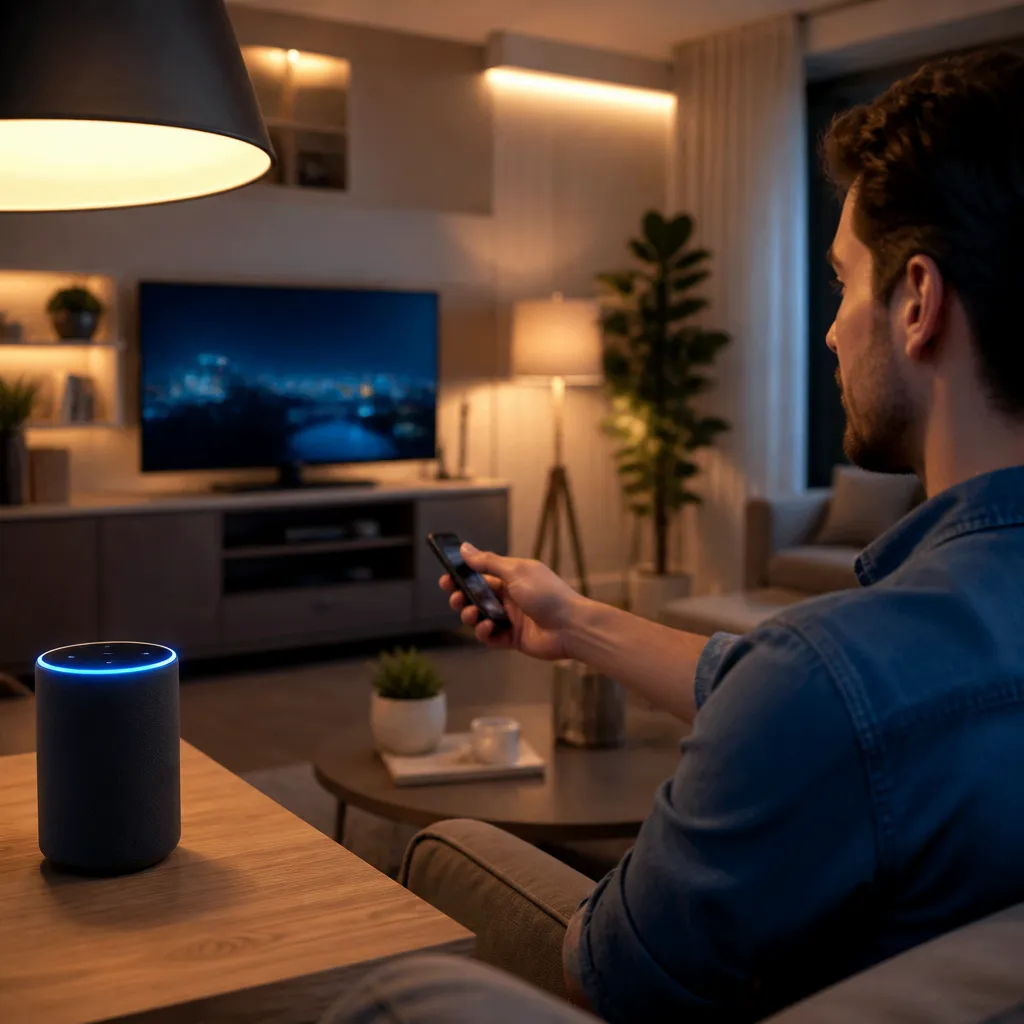
Synchronize your smart cameras and electronic locks into a “Leaving home” routine that locks all doors, guns the security system, and starts continuous recording of the cameras.When you get home, a “Reaching home” routine can unlock the main door, turn on the entrance lights, and disable the security system.These automations not only increase security, but also significantly improve the convenience of your daily life, eliminating the need to carry keys or worry if you forgot to lock the door.
Controlling household appliances and other appliances
Modern appliances like refrigerators, ovens, washing machines and dryers can be integrated into Alexa, allowing you to monitor and control your programs remotely.You can start the washing machine while still at work, ensuring that clothes are ready when you get home, or preheat the oven so that it reaches the ideal temperature when you cook. This integration transforms household tasks, making them more efficient and flexible.
Some smart refrigerators allow you to view your interior through built-in cameras, helping you remember what ingredients you have available while you’re shopping at the supermarket. You can even ask Alexa to add items to your shopping list just by telling you what you see missing. Smart washing machines send notifications when the wash ends, preventing clothes from staying wet for too long, while dryers can be remotely triggered so that the laundry dries at its own pace.
If you have a smart coffee maker, you can program it to brew your coffee as soon as you wake up, or start brewing when you are getting out of bed by heading to the kitchen. Robot vacuum cleaners can be scheduled to clean the house at specific times, preferably when you are out, keeping your home always clean without you having to think about it. The key is to choose devices that really improve your quality of life, avoiding the temptation to automate everything just because it is possible.
Using sensor and condition-based routines
Humidity, temperature, motion and air quality sensors can be integrated into Alexa to create truly intelligent automations based on real conditions of your environment.For example, when the air quality sensor detects high levels of indoor pollution, your routine can automatically turn on the air purifier and open the smart windows for ventilation. Humidity sensors can trigger bathroom fans automatically when they detect shower steam, preventing mold and excessive humidity.
Motion sensors integrated into lighting systems create a much more intuitive experience, turning on the lights when you enter a room and automatically turning them off when you leave. This automation is particularly useful in corridors, bathrooms and other areas where you usually have your hands busy or do not want to waste energy illuminating empty spaces. You can set up different brightness levels for different times of day, offering strong lighting during the day and soft light at night so as not to dazzle your eyes.
Opening sensors installed on doors and windows can trigger alarms if someone tries to access your home while you are away, or disable security routines when you arrive home legitimately. Water leak sensors can automatically trigger a routine that shuts down the main water supply and sends an emergency notification to your smartphone. These sensor-based automations turn your home into a truly intelligent environment that responds to real situations instead of just reacting to your commands.
Solving common problems and optimization tips
If Alexa cannot connect to a specific device, the first step is to check that the device is on the same Wi-Fi network and that the signal is strong in its location. Some devices require specific frequency bands such as 2.4 GHz instead of 5 GHz, so check the product specifications. Restart both the problematic device and your Wi-Fi router waiting at least thirty seconds before turning on again, as this usually resolves connectivity issues.
If Alexa does not understand your voice commands, make sure that the device microphone is not clogged and that you are speaking clearly and with normal intonation.Test voice recognition in different positions of the house to identify if there are points with poor reception. You can also retrain voice recognition by going to the settings of the Alexa app and activating individual voice recognition, which learns your specific voice and accent over time.
If routines are not triggered at the expected times, make sure that time zones are configured correctly in the Alexa app, as an incorrect zone can cause routines to be triggered at unforeseen times. Some devices require intermediate hubs to function properly, especially those using Zigbee or Z-Wave protocol, so make sure this is the case for your devices. Keeping the firmware of your Alexa device and all smart devices up to date ensures maximum compatibility and access to the latest features.
To optimize the overall experience, organize your devices into logical groups by room and create descriptive names that make intuitive the commands you need to give. Start with simple automations and gradually expand to more complex configurations as you become familiar with the system. Regularly review your routines to ensure they continue to serve their purpose and remove the ones you no longer use, avoiding an overly complex configuration that becomes difficult to manage.
Advanced strategies for full remote control
For those who want to automate everything from anywhere, remote integration is essential to turn your smart home into truth. Set up remote access in the Alexa app by enabling the remote control option in your home settings, allowing you to control your devices even when you are away from your home Wi-Fi network. This is particularly useful if you forgot to turn off the television or need to leave the door open for a deliveryman while working.
Combine multiple devices into smart automations that respond to complex triggers such as location, time of day, and state of other devices. You can create a routine that checks if you have arrived home, if it is getting dark, and if the security system is on, then perform a series of actions such as turning on lights, turning off the alarm, and turning on the welcome music. These cascading automations create a smart home experience that really seems to anticipate your needs.
Take advantage of Alexa’s integration with third-party services like Spotify, Pandora, Google Calendar, and news apps to create a personalized experience that fits your day.You can create a work routine that plays relaxing musical background when you enter your home office, or an exercise routine that plays your energy playlist when you go to the gym. Alexa’s flexibility allows you to create a truly personalized environment that supports your daily routine in every aspect.
Ensuring data privacy and security
When automating your home with Alexa, it is critical to understand how your data is collected, stored, and protected by Amazon.The Alexa device is always listening in the background, waiting for the activation keyword, but only recordings after that word are sent to Amazon servers for processing. You can disable the microphone using the physical button on the device if you want to absolutely ensure that no audio is being captured or transmitted.
Regularly review activity history in the Alexa app to see which commands were executed and when. You can delete individual transcripts of commands that have been misinterpreted or turn on automatic data deletion after a specific period.Configure strong passwords for your Amazon account and enable two-factor authentication to ensure that only you can access your devices remotely.
When adding third-party smart devices, research the manufacturer’s privacy policy to understand how they collect and use data. Some devices may require local data to function while others transmit information to cloud servers, so choose those that align with your privacy values. Change the default passwords of any connected device and disable unnecessary data collection features if the device offers these options, ensuring a smart but secure home environment.
Expanding your system over time
Start your home automation journey with a few key devices and gradually expand as you become familiar with the system and identify areas where automation would really improve your life.Search for seasonal sales and special offers when considering adding new devices to your ecosystem, as smart home technology often has discounts during festive periods.Before you buy, make sure that the new device is Alexa-compatible and that its features really serve a useful purpose in your home.
Stay up to date on new Alexa devices and features through Amazon newsletters and online communities dedicated to smart home. Other users often share creative ideas for routines and integrations that you can tailor to your specific situation. Join forums and discussion groups to learn from the experience of others and avoid common mistakes that others have already made in setting up their systems.
As your setup grows, consider investing in a central smart hub that allows for greater control over different protocols like Zigbee and Z-Wave, especially if you plan to add many devices over time. A dedicated hub offers redundancy and improved reliability, ensuring your automation keeps working even if an individual connection is interrupted. This scalable approach allows you to build a truly robust smart home ecosystem that grows with your needs and aspirations over the years.